The safe way to get started
How Analyze My Insta works
Get your official Instagram export, upload the ZIP, and review your relationship lists privately in your browser.
- No password
- ZIP stays on your device
- Free to use
01
Open the official export
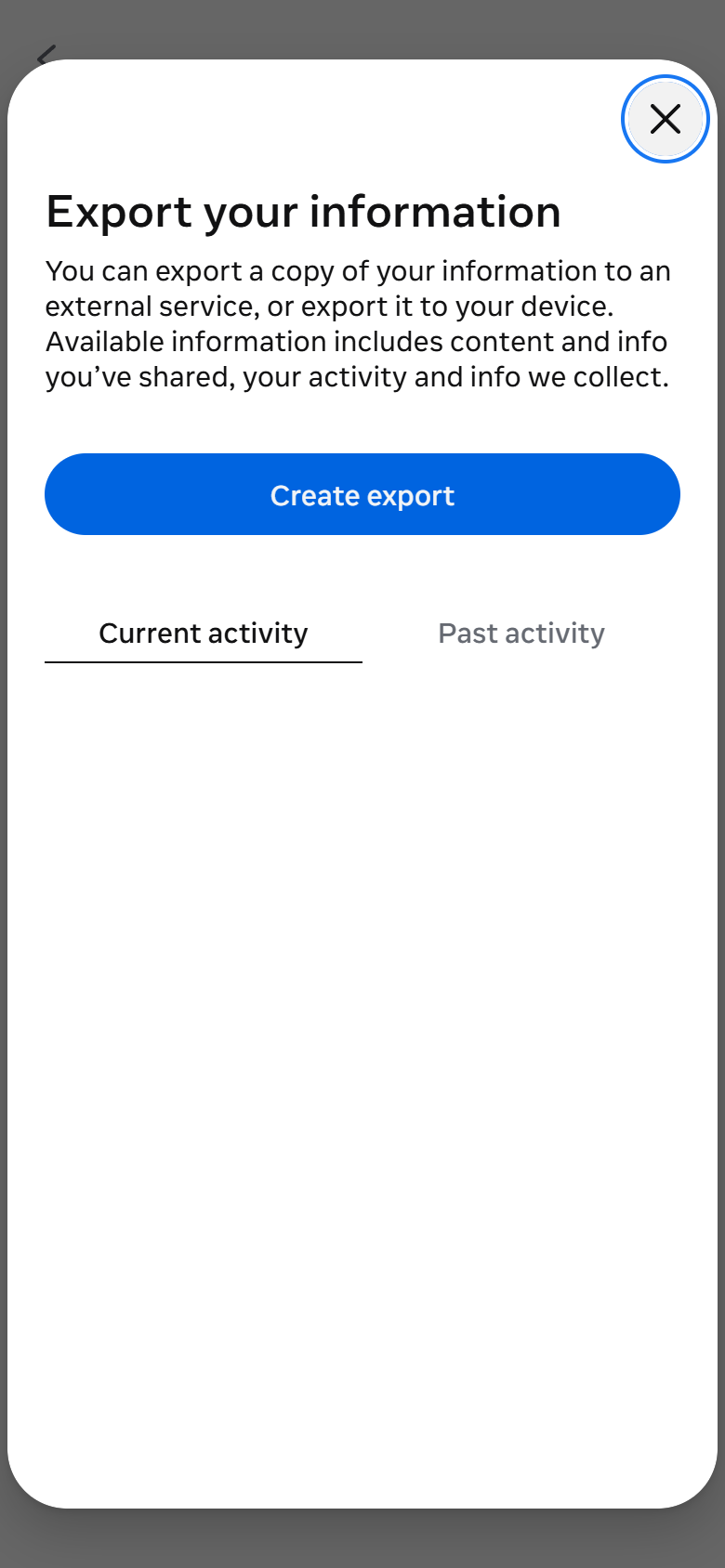
In Instagram, go to Accounts Center, then Your information and permissions, then Export your information.
02
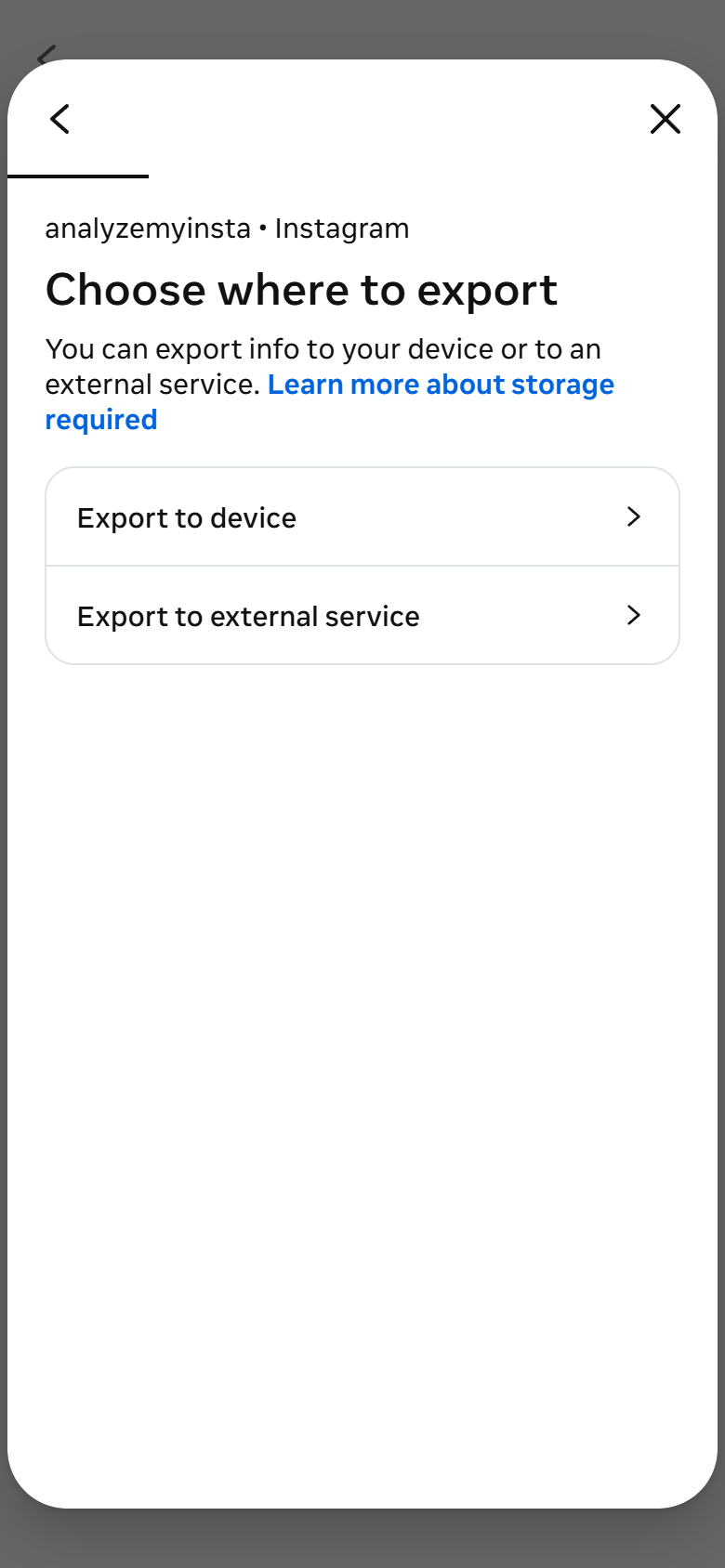
Create an export for your device
Choose your Instagram profile and select Export to device. This creates a file you control.
03
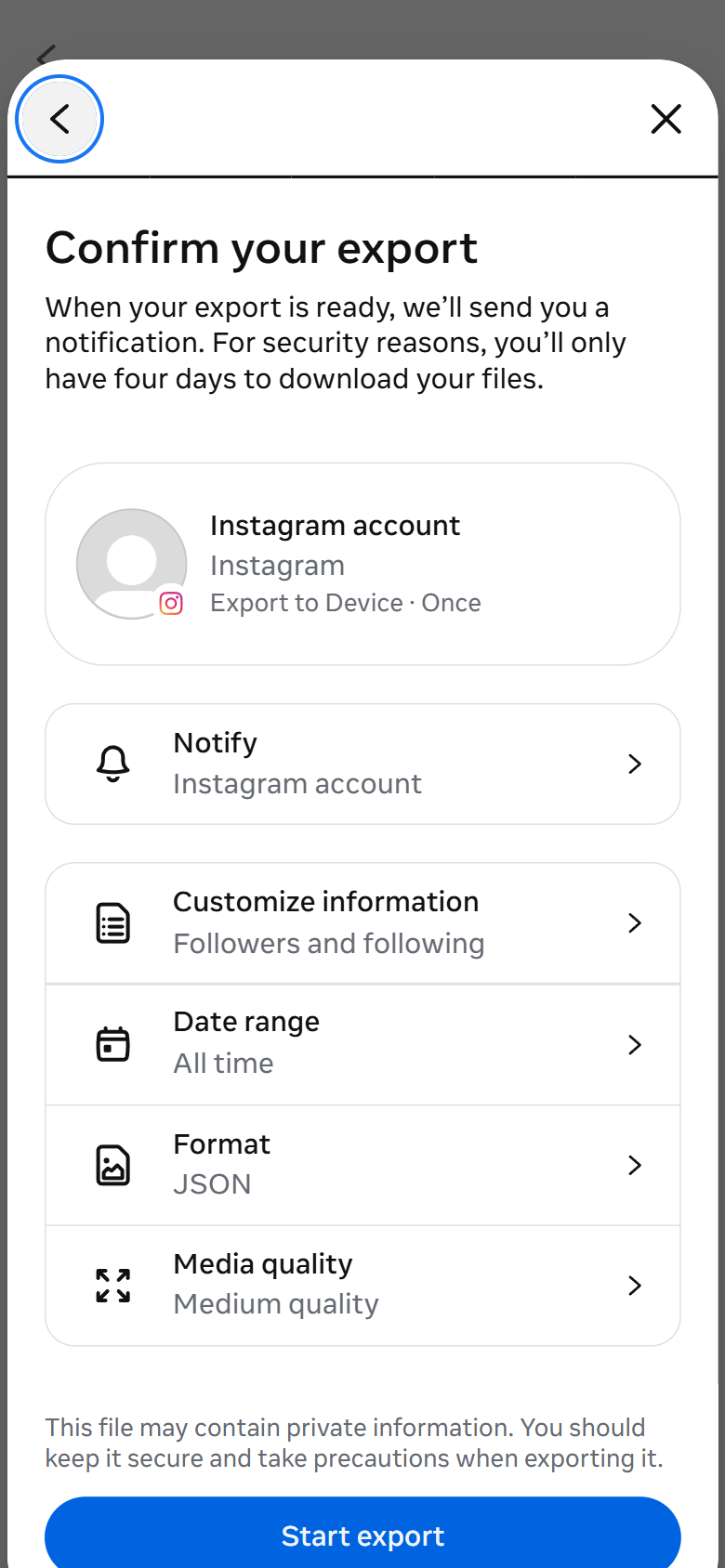
Keep only the data you need
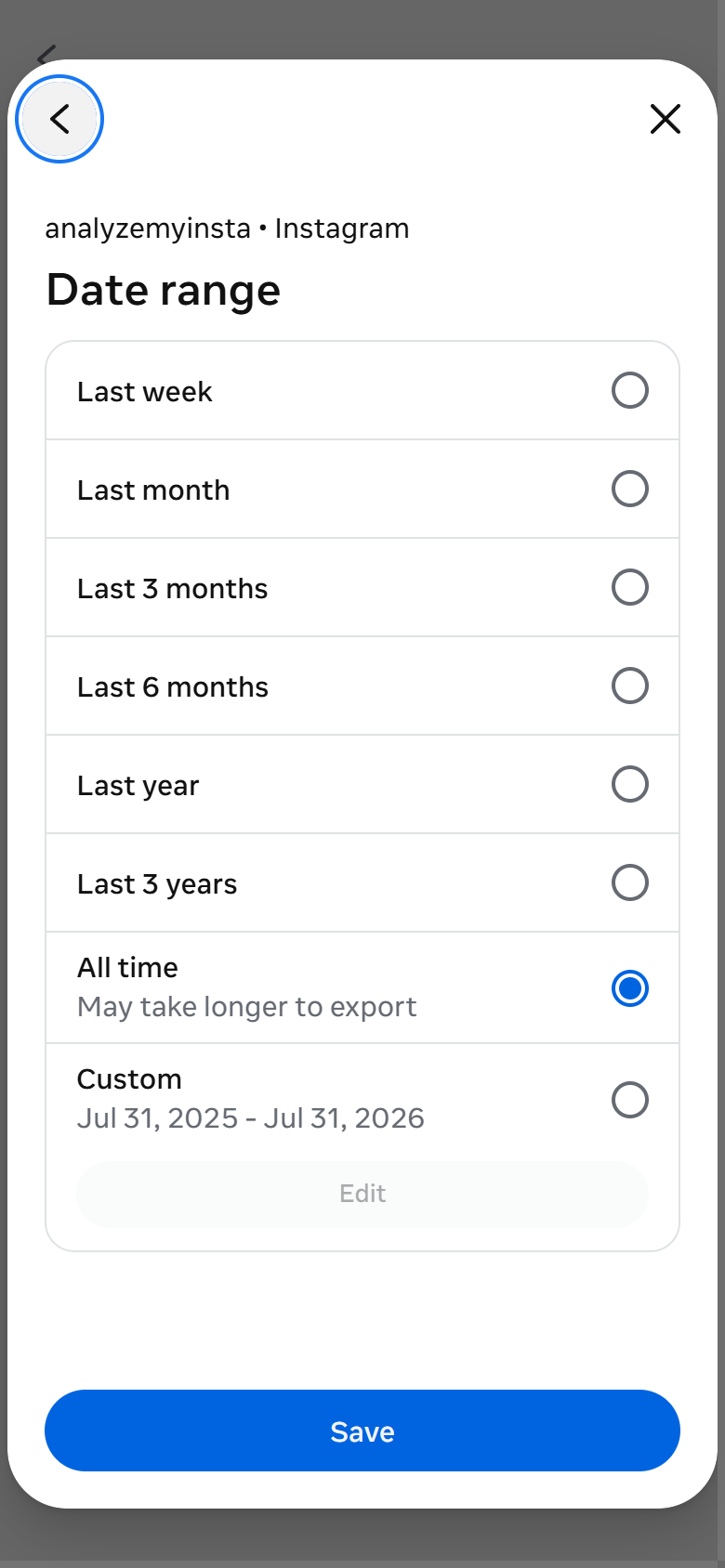
Under Customize information, select Followers and Following. Choose All time and JSON for the most complete result.
04
Wait for the download email
Instagram prepares the archive and emails you when it is ready. Download the ZIP but do not unzip it.
05
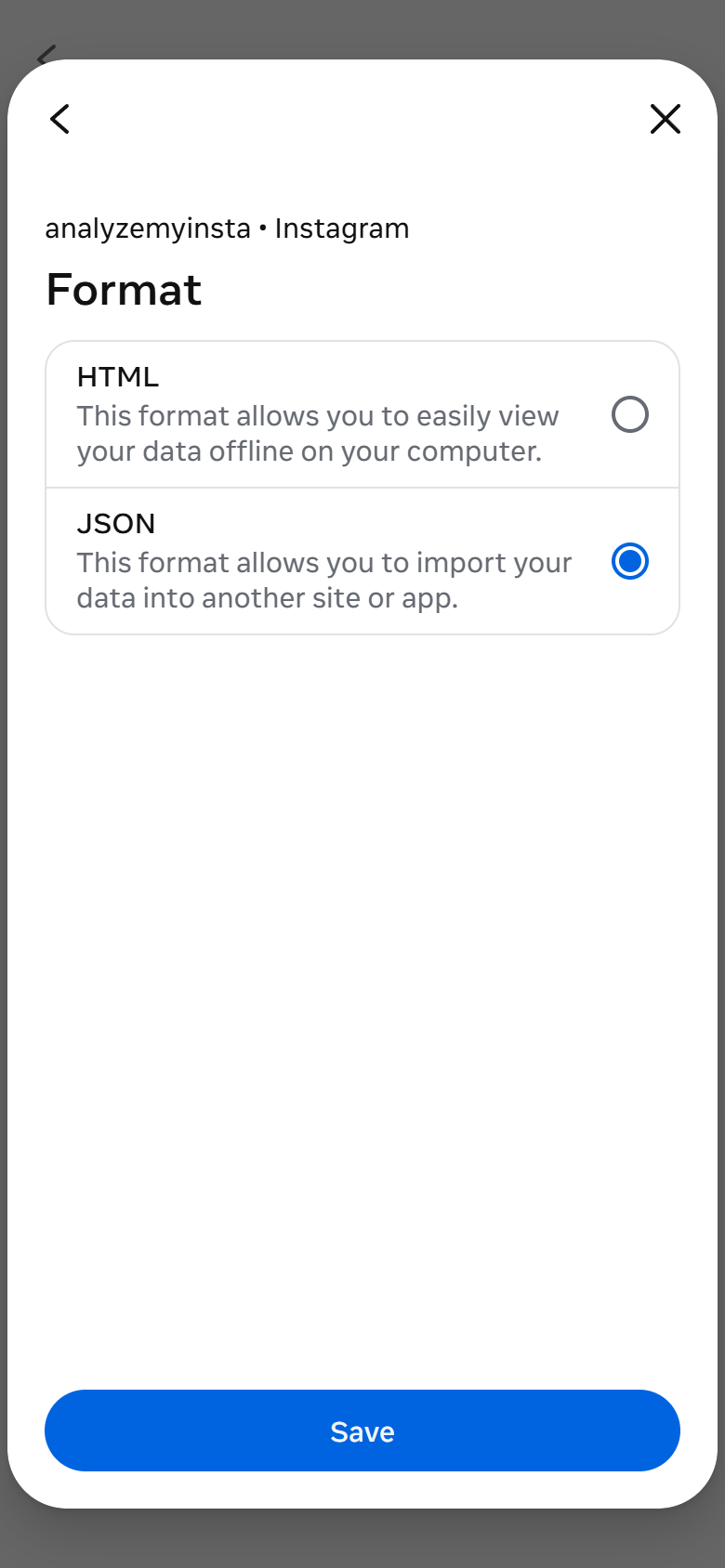
Choose JSON
Select JSON, save the settings, then return here to upload the ZIP without unzipping it.
FAQ
Is it safe to use AnalyzeMyInsta to track Instagram followers?
Yes, AnalyzeMyInsta is 100% safe because it never requires your Instagram password. Unlike third-party apps that can cause shadowbans, account bans, or data theft, AnalyzeMyInsta analyzes the official JSON files exported from Instagram directly in your browser, ensuring total privacy. No data is ever sent to external servers. All processing happens entirely client-side.
What is the safest way to check who unfollowed me on Instagram?
The safest method is to use your official Instagram data export (available under GDPR settings) and analyze it with a client-side tool like AnalyzeMyInsta. This avoids giving your password to third-party apps — which is the primary cause of account bans and data breaches. AnalyzeMyInsta processes everything locally in your browser without making any requests to Instagram's servers.
Does AnalyzeMyInsta access my Instagram account?
No. AnalyzeMyInsta has absolutely no access to your Instagram account. It does not use Instagram's API, does not perform web scraping, and does not require any login credentials. It only reads the data export file (ZIP/JSON) that you manually download from Instagram's official settings.
1. Why do I need to download the data myself?
Instagram does not provide a reliable public way for tools like this to fetch your followers/following automatically. You need to download your official export first. This also protects your privacy: analysis runs in your browser, your data stays on your device, and nothing is uploaded to our servers.
2. How do I get my Instagram data ZIP file?
Open Instagram > Settings and activity > Accounts Center (Meta) > Your information and permissions > Export your information. Select the correct account, in Customize information keep only "Followers and people/pages followed" (remove all other categories), set All time + JSON, start export, then download the .zip from the Meta email.
3. What does this site actually do?
It compares your followers and following lists to show you: who unfollowed you, who you follow but doesn’t follow back, and mutual followers.
4. Are my data stored?
No, everything stays in your browser. Nothing is uploaded to any server.
5. Why am I getting an error when uploading?
The file might not contain the correct info. Make sure it’s the original .zip from Instagram and hasn’t been modified.
6. Is this site safe?
Yes, it’s fully client-side. Your data never leaves your device.
7. Can I use this site more than once?
Of course! Just reload the page and analyze new files as often as you want.
8. Why can’t you do this automatically with my profile?
Due to privacy and Instagram API restrictions. Automating it would break their rules and compromise your data’s safety.
9. How long does it take to get the data from Instagram?
Instagram takes a few hours to 48 hours to prepare your data. Make sure to select the option to receive a confirmation email at https://www.instagram.com/download/request/.
10. Why can some results (e.g. Not Following Back) look outdated?
Results depend on data provided by Instagram/Meta at export time: sometimes data may not be clean (for example deleted/deactivated accounts), so minor inconsistencies can appear.
11. Why do I also see categories like Pending, Blocked, or Hidden Stories?
These are extra data points already included in your Instagram/Meta export. We show them in stats together with Followers, Following, Mutual, Not Following Back, and Unfollowed.
Try it first
See the results with sample data
Explore the complete analyzer experience before downloading or uploading your Instagram export.